
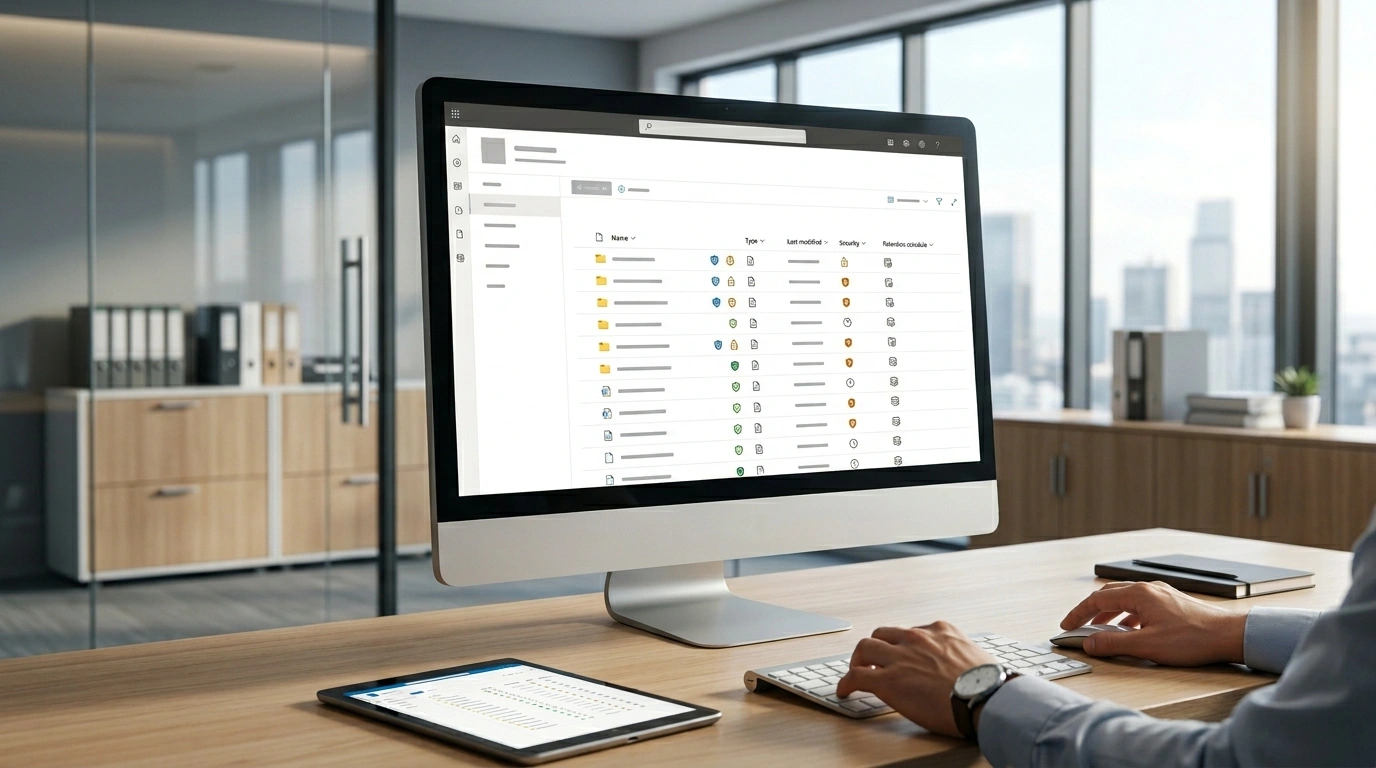
Is the best option for a permanent document repository is an awkward keyword phrase, but the question behind it is clear: what platform should you trust when you need to store, organize, protect, and retrieve important records for the long term? For most organizations, Microsoft SharePoint is often the best option for a permanent document repository because it combines centralized document storage, version control, metadata tagging, role-based access control, audit trail visibility, and strong support for document retention schedules.
That matters because a permanent document repository is not just a folder full of files. It is a single source of truth for business documents, legal agreements, financial records, board materials, HR files, tax records, compliance documents, and other content that must stay accessible, secure, and well-governed over time. A weak setup leads to duplicates, outdated copies, messy folder structure, poor document retrieval, and real compliance risk. A strong repository supports long-term digital preservation, easier audits, cleaner workflows, and better decision-making across finance, healthcare, legal, government, education, and other regulated environments.
In this guide, you will learn what makes a repository truly permanent, why SharePoint is often the most practical answer, how it compares with Google Drive, Dropbox, a specialized document management system (DMS), and even physical document storage, plus the features and governance rules that matter most if you want a compliance-ready document repository.
What Is a Permanent Document Repository?
A document repository is a secure, organized place where files are stored so people can find, manage, and use them efficiently. A permanent document repository goes much further. It is designed for records lifecycle control, long-term access, reliable search, retention, governance, and preservation. In simple terms, it is not just where documents live today. It is where important records can remain usable and defensible for years.
That distinction is important. Many companies think they already have a repository because they use shared drives, email attachments, or cloud folders. In reality, those systems often lack the structure needed for archival storage, metadata indexing, search keywords, access permissions, and audit readiness. A permanent repository must be built to support document organization, traceability, secure location controls, and the ability to prove who accessed, changed, or retained a document.
A true permanent repository also supports the practical needs of modern work. Teams need real-time access, the latest version of a file, protection from version conflicts, and the ability to search across PDFs, spreadsheets, images, invoices, contracts, and compliance files. That is why the best repositories function as more than storage. They become a structured digital archive tied to daily operations, risk management, and long-term governance.
Why SharePoint Is Often the Best Answer
When people ask which platform is the best permanent document repository for business records, the answer often points to Microsoft SharePoint. That is because SharePoint sits at the intersection of document management, collaboration, governance, and security. It does not merely hold files. It helps organizations create a centralized hub for document storage that supports both day-to-day work and long-term retention.
One of SharePoint’s biggest strengths is version control. In many organizations, employees waste time hunting through email chains or comparing duplicate files. Some studies cited in competitor content claim employees can lose 2.5 hours per day searching for information, and that poor access to files can hurt productivity significantly. Whether the exact number varies by study, the problem is real: people lose time when information is scattered. SharePoint helps reduce that by keeping documents in one managed space with a visible history of edits and a clearer path to the current version.
It also supports metadata tagging, document indexing, advanced searchability, and enterprise search, which makes retrieval much easier than relying on folder names alone. That matters for legal teams, compliance officers, IT managers, operations managers, healthcare administrators, and executives who need fast access to the right record at the right time.
Another major strength is governance. SharePoint can support retention policy structures, records schedule logic, audit trail visibility, multi-factor authentication, user authentication, and permissions that limit access to authorized individuals only. For organizations working under GDPR, HIPAA, SOX, or other regulatory requirements, that matters far more than simple file storage.
What Makes a Repository Truly Permanent?
A system becomes “permanent” not because it stores files forever, but because it is designed for permanent records management. That means the repository must support retention decisions, secure access, strong search, and long-term maintenance without losing trust or usability.
First, it needs a clear classification schema. Documents should not be dumped into a single library without structure. They need taxonomy, searchable metadata schema, naming rules, and logical categories so retrieval stays easy even as content grows.
Second, it needs defensible controls. A permanent repository should include tamper-evident audit trail capabilities, reliable backup and restore, and a plan for disaster recovery and business continuity. If a system cannot protect records from accidental deletion, unauthorized edits, or weak access control, it is not truly permanent.
Third, it must support the legal side of records handling. That includes retention labels, records retention policy, legal hold, and the ability to manage temporary records differently from permanent records. In complex environments, tools such as Microsoft Purview, eDiscovery, and formal information governance processes become part of the equation.
Finally, permanence requires scalability. A repository must work when there are 500 files and when there are 5 million. That includes search speed, permissions management, content growth, migration planning, and ongoing governance. Long-term value comes from building a system that is both secure and sustainable.
Repository vs Archive vs Shared Drive vs DMS
A major reason organizations choose the wrong system is that they confuse several similar concepts. A repository, archive, shared drive, and document management system overlap, but they are not the same thing.
| Option | Best Use | Strengths | Weaknesses |
|---|---|---|---|
| Shared Drive | Basic team file sharing | Simple, familiar, quick to start | Weak governance, poor metadata, limited retention control |
| Document Repository | Organized access to working and long-term records | Searchability, permissions, version history, centralized storage | Needs planning and governance to work well |
| Archive | Long-term preservation of inactive records | Strong retention and preservation focus | Less practical for everyday collaboration |
| DMS / Records Management System | Formal compliance-heavy document control | Workflow automation, audit trail, retention logic | Can be costly and more complex |
| SharePoint | Hybrid everyday work + permanent repository needs | Collaboration, metadata, version control, governance, Microsoft 365 integration | Requires proper setup and governance |
This comparison explains why repository vs archive and repository vs shared drive are such important distinctions. A shared drive may help with convenience, but it often fails as a document repository for permanent retention. Files become messy, naming conventions break down, permissions drift, and important records are hard to locate. A specialized records management system may be stronger in some industries, but for many organizations SharePoint offers the best balance between usability and long-term control.
Compared with Google Drive and Dropbox, SharePoint generally provides deeper governance, stronger document structure, and better alignment with enterprise retention needs. Those tools are useful for lighter collaboration, but they are not always the best repository for long-term document retention when compliance and records governance become serious requirements.
Key Features the Best Permanent Document Repository Must Have
The best option for a permanent document repository should combine storage with governance, usability, and protection. The strongest systems include several core features.
The first is metadata tagging. Good metadata turns a pile of files into an organized, searchable system. Instead of relying only on file names, users can search by client, department, date, record type, legal status, or retention category. That improves document retrieval and supports more consistent document organization.
The second is version control. This is essential for board documents, financial reports, governance policies, contracts, and operational files where multiple people may touch the same content. Version history reduces confusion, supports collaboration, and helps preserve traceability.
The third is strong access permissions. A permanent repository should have role-based access control, secure user authentication, and ideally multi-factor authentication. Sensitive records should not be visible to everyone just because they live in a common library.
The fourth is auditability. The best systems record access, updates, and workflow events so there is an audit trail. This supports audit readiness, improves accountability, and helps organizations respond to investigations or internal reviews.
The fifth is resilience. That includes encrypted documents, reliable backups, business continuity, and disaster recovery for document repositories. A repository is only as strong as its recovery plan.
The sixth is structured growth. Features like workflow automation, retention automation, and controlled upload and organize documents processes help the system stay clean over time. Without that, even the best platform becomes cluttered.
Compliance, Retention, and Legal Requirements
A permanent repository is never just a technical choice. It is also a legal and governance decision. Different organizations face different obligations, but the pattern is the same: the more regulated the environment, the more important retention and access controls become.
For example, healthcare organizations may worry about privacy and HIPAA. Finance teams may focus on retention rules, auditability, and internal controls tied to frameworks like SOX. Global businesses may also consider GDPR, jurisdiction-specific privacy rules, and cross-border document handling.
This is where document retention schedules, records schedule design, and retention labels matter. Some records must be kept for a certain number of years. Others may qualify as permanent records. Some must be preserved during legal action under legal hold. A repository that cannot support those distinctions may create major risk.
Good governance also requires ownership. Someone must decide who controls classifications, who approves access, how records are reviewed, and how disposition is handled. Standards and frameworks such as ISO 15489, NARA guidance, and broader content governance practices can strengthen that structure. Even if a business is not legally required to follow every framework, the principles are useful: classify content, control access, define retention, monitor usage, and preserve evidence of changes.
Who Needs a Permanent Repository Most?
Not every business needs the same level of repository maturity, but many teams benefit from a permanent approach. Legal teams need reliable access to contracts, filings, and matter records. Compliance officers need controlled retention and audit-ready evidence. Corporate secretaries, board chairs, and executives need secure access to meeting minutes, board materials, and governance records.
In healthcare, permanent or long-term repositories help manage medical records, policy documents, and regulated communications. In finance, they support retention of reports, approvals, and historical records. In education, they may hold student records, accreditation materials, and policy files. In government, permanent records are often central to accountability and public obligations.
Even small business owners can benefit. A company may start with a mix of cloud folders and desktops, but growth quickly creates risk. A better repository reduces operational delays, supports cleaner collaboration, and protects critical files from loss or poor organization.
When Physical Document Storage Still Makes Sense
A digital repository is usually the best core solution, but that does not mean physical documents no longer matter. Some organizations still need to preserve original property papers, certificates, signed legal agreements, or certain financial records in hard-copy form.
In those cases, physical document storage should be treated as part of a hybrid strategy for permanent records, not as a replacement for digital governance. The digital repository should still serve as the searchable control layer, while originals are stored in secure offsite environments with controlled access, preservation safeguards, and sometimes 24×7 surveillance.
This hybrid model is especially useful when documents are vulnerable to moisture, humidity, fire, sunlight, pests, or accidental handling damage. Physical storage helps preserve originals, while the digital repository supports access, indexing, retrieval, and governance.
Best Option by Use Case
The best platform depends on the organization’s needs, but the pattern is usually straightforward.
| Use Case | Best-Fit Option |
|---|---|
| Enterprise permanent repository with compliance needs | Microsoft SharePoint |
| Light collaboration for small teams | Google Drive or Dropbox |
| Highly specialized regulated workflows | Document management system (DMS) |
| Original paper preservation | Physical storage provider |
| Mixed digital + paper records | Hybrid repository strategy |
For most businesses, SharePoint stands out because it can serve both as a practical collaboration environment and a serious repository with governance potential. That makes it easier to choose than systems that are either too basic or too specialized.
How to Set Up a Permanent Repository the Right Way
A strong repository does not happen by accident. It needs a plan. Start by auditing what you already have. Identify business files, contracts, reports, email attachments, HR files, and compliance records that are spread across desktops, drives, and cloud folders.
Next, define a document classification approach. Decide how content will be grouped, what metadata fields matter, and which naming conventions and folder structure rules will apply. Build a taxonomy that matches how people actually search.
Then set permissions carefully. Use role-based access control so employees only see what they need. Apply retention logic next. Decide which records are temporary, which are long-term, and which are permanent. Use retention labels, access rules, and governance workflows to enforce those decisions.
After that, migrate content in phases. A good repository migration checklist should include data cleanup, duplicate removal, metadata mapping, permission testing, search validation, and backup checks. Finally, train users. Even the best system fails if people keep saving documents to personal hard drives or random cloud folders.
Common Mistakes to Avoid
One common mistake is assuming storage equals governance. It does not. A drive full of files may look organized at first, but without metadata and retention logic it becomes difficult to manage.
Another mistake is weak permissions. If sensitive files are visible too broadly, the repository creates more risk than value. The same is true when organizations skip version history or fail to monitor usage. That leads to unauthorized access, confusion over the latest file, and incomplete audit evidence.
A third mistake is ignoring long-term maintenance. Repositories need reviews, cleanup, policy updates, and governance ownership. Without that, duplicates grow, outdated copies remain active, and search quality drops.
The last major mistake is confusing convenience with permanence. Why a shared drive is not enough is simple: it usually lacks the structure, governance, and defensibility required for a permanent records environment.
Frequently Asked Questions
Is SharePoint the best option for a permanent document repository?
For many organizations, yes. It offers an excellent balance of document management, collaboration, search, permissions, and governance support. It is not the only option, but it is often the most practical one.
What is the difference between a document repository and an archive?
A repository is usually more active and supports daily work, while an archive focuses more on preservation of inactive records. In practice, the two can overlap, especially in SharePoint-based environments.
Can Google Drive be used as a permanent repository?
It can work for lighter use cases, but it is not always ideal for organizations that need strong retention logic, deeper governance, and compliance controls.
How long should documents stay in a permanent repository?
That depends on your records retention policy, legal obligations, and business needs. Some records may be temporary, while others may require permanent retention.
Do I still need physical storage for original documents?
Sometimes, yes. Original signed records, certificates, and certain legal or historical documents may still require secure physical preservation.
Final Words
If your real question is what is the best option for a permanent document repository, the answer for most modern organizations is Microsoft SharePoint. It provides the strongest overall mix of centralized document storage, single source of truth access, version control, metadata, searchability, permissions, and governance support.
That does not mean every company needs the exact same setup. Some will need a specialized document management system, some can manage with lighter tools, and some still need physical storage for original records. But if you want a compliance-ready document repository that can support long-term retention, secure collaboration, and future growth, SharePoint is often the clearest and most practical choice.
Disclaimer: This article is for general informational purposes only. Platform features, performance, and suitability may vary based on organizational needs and setup. Always evaluate tools based on your specific requirements and compliance obligations.